


Mobile visitors to local service websites are impatient and want to get on with their day. They may be distracted or even multitasking. They want to know if you offer a particular service and if you’re available. They may be standing in the driver’s seat of their parked car or sneaking time between meetings. Either way, they won’t spend a lot of time with your site – check this out for more details, so make sure to include the following on your first screen:
- What you do
- Your service area
- Call/Book Now buttons
- What happens next
Consider the person whose AC goes out on a Friday afternoon. They’re going to check out several contractors’ mobile sites, and if yours takes too long to load, buries your phone number, or requires them to fill out a lengthy form before reaching out, they’ll move on to the next business.
Tap-Friendly Buttons
People can be impatient or frustrated when using mobile. They may be trying to get through with you right away. Design for ease of use; the practical side of Studio 47 Web Design starts with making key actions simple to find and use. Call/Book Now buttons should be easy to find, ideally at the top of the page and accessible as people scroll. Also, make sure they’re large enough to accommodate fat fingers. Aim for touch targets with adequate white space around them so visitors won’t accidentally click another button or link. The current standard is a minimum size of 44 x 44 CSS px for tap-friendly buttons.
The last thing your potential customer wants to do is pinch-and-zoom to enlarge text or guess where to tap in order to call or send a message. Make sure your header is streamlined with only one main call to action.
Map Traffic
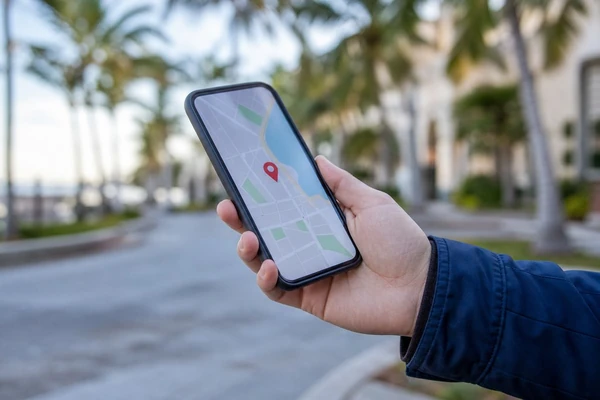
If a customer lands on your website after tapping on a listing in a map application, make sure to have a landing page that speaks to the following:
- Do you provide the service they’re looking for? Be very specific. A plumber’s landing page would list common reasons that would prompt people to call. Is it an emergency? Mention that. A med-spa would clarify what happens during a free consultation. An HVAC company would differentiate between scheduling an AC tune-up, a diagnostic visit, or an estimate for a new system.
- Can they trust you? List credentials like a license number and years in business. Mention if you’re in high demand right now or have immediate availability.
- Where’s your service area? Include your city/town and any nearby areas you service. For example, West Palm Beach, FL.
- Can they reach you right away? Provide a click-to-call option and explain what happens after a call or booking request. Do you return calls in a timely fashion? Mention that. Do you have a live chat option? Great! Mention that. Do they need to fill out a form? Explain what happens after submission.
- How much will it cost? Many customers like to know upfront what services cost. If you provide quotes, let them know if quotes are free, what’s required of them, and what happens after requesting or receiving a quote. If you provide a cost calculator, let them know how it works and what to expect from it.
If your map traffic lands on your homepage, consider creating a landing page that answers these questions before sending them elsewhere. Keep marketing copy to a minimum. Calm them down and assure them you can help with their problem.
Streamlined Forms
- What type of system do you have? Select all that apply. Central air conditioner; Furnace; Heat pump; Split system; Window unit; Ductless mini-split system; Portable unit
- What year was the system manufactured?
- What is the make/model number?
- Where is the system located?
- Where are you experiencing issues with the system?
- How many bedrooms do you have?
- What is the approximate square footage of your home?
- Where did you hear about us?
- Preferred contact method: Phone; Email; Text message
- Full street address
Photo Galleries
If you perform remodeling, restoration, or other jobs where visuals speak volumes, it’s a great idea to showcase before/after pictures on your mobile site. Keep in mind that large image sizes can be detrimental to page load times (https://moz.com/learn/seo/page-speed), so load a select number of images that have been sized for mobile. If you have many pictures, consider loading them upon scrolling. Captions or tooltips can add more details about each job.
Customer Perspective
- Can you quickly ascertain what the business does?
- How long does it take for the site to load?
- Can you locate the main menu?
- How many clicks does it take to reach important pages such as Services, Gallery, and Testimonials?
- Can you find the phone number? Is the header too cluttered? Are there competing CTAs? Can you scroll without losing access to the Click-To-Call button? Are the CTAs large enough to avoid mistaps?
- Can you locate a form? Is there too much required information? How long would it take you to fill it out? Are you confident it will reach the right place after submitting?
- Do the images take too long to load? Can you tell what they’re of without zooming in? Are there captions/tooltips to provide more information?
Map-Entry Test
Next, conduct a map-entry exercise. Pretend you have a need for the type of service the website offers. Find the business through a map app and follow the same steps the average person would. Note how long it takes to load and what information is immediately available. Does it feel like you’re in control?
Can you get through with them without hassle? Are there too many decisions to be made? Does the content reassure you of quality service and competitive pricing? Can you find testimonials/reviews? Can you ascertain their service area? How difficult is it to navigate? Is it obvious how to get through with them and what happens after reaching out?
Answering these questions will help you discover ways to improve the customer experience and increase bookings and sales.
